My Bids
Agents can view the bids they have placed for schedules. Agents view schedules to discover shifts to bid on.
What do you want to do?
Tasks in this Topic Include:
Related Tasks:
- My Schedule
- My Schedule Changes
- My Schedule Adherence
- Schedules for Bidding
- Schedule Swap Requests
- My Alerts
- Change Password
View Status of My Bids
You can view the status of the bids you have submitted.
- Select My
Bids from the
left navigation menu. Your bids are displayed in tables:
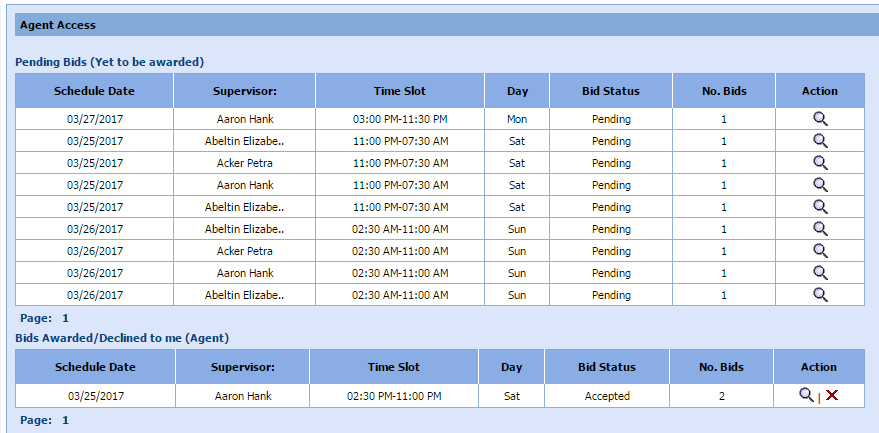
- Pending Bids - Listing of bids by date that were submitted by you and have not been awarded or declined.
- Bids Awarded/Declined to me - Listing of bids by date that you submitted that were awarded or declined.
- To see the bid details, select the magnifying glass icon.